- Agents generate outdated Astro patterns without knowing Astro 6’s breaking changes.
- The Astro Docs MCP only works when the agent asks, and agents don’t ask when they think they’re right.
- So I made an Agent Skill that the agent references before generating code.
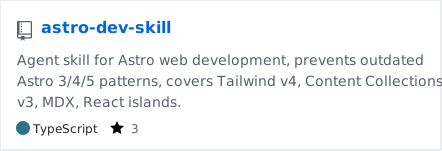
GitHub: gigio1023/astro-dev-skill
This blog is built with Astro. I’ve been working on it with Claude Code and Codex, and I noticed agents repeatedly generate incorrect Astro code. Astro 6 introduced significant breaking changes, but agents have mostly been trained on Astro 3/4/5 era code, so they generate old patterns without realizing they’re wrong.
I also use the Astro Docs MCP, but MCP only activates when the agent asks a question. When an agent writes entry.render(), it doesn’t ask MCP “has this API changed?” It’s confident the pattern is correct and just generates the code. If MCP answers “how do I use this?”, what I needed was something that says “not like that.”
So I made an Agent Skill. It’s essentially a set of guidelines the agent references before generating code, and it complements MCP rather than replacing it.
What Agents Repeatedly Get Wrong
A few representative examples make the situation clear.
In Astro 6, render() changed from an entry method to a standalone function. Ask an agent to render a blog post and it will almost certainly use post.render().
// what the agent generatesconst { Content } = await post.render()
// what changed in Astro 6import { render } from 'astro:content'const { Content } = await render(post)Astro.glob() was removed entirely in Astro 6, but agents still use it when fetching post lists.
// removed APIconst posts = await Astro.glob('./posts/*.md')
// Content Collections is the replacementimport { getCollection } from 'astro:content'const posts = await getCollection('blog')Astro 6 ships Zod 4, where both the import path and validator chaining have changed.
// Zod 3 syntaximport { defineCollection, z } from 'astro:content'z.string().email()
// Zod 4 syntaximport { defineCollection } from 'astro:content'import { z } from 'astro/zod'z.email()Content Collections now require an explicit loader, and the config file moved from src/content/config.ts to src/content.config.ts.
// doesn't work without a loaderconst blog = defineCollection({ schema: z.object({...}) })
// loader is required, schema is a functionimport { glob } from 'astro/loaders'const blog = defineCollection({ loader: glob({ pattern: '**/*.{md,mdx}', base: './src/content/blog' }), schema: ({ image }) => z.object({...})})I’ve cataloged about 20 patterns like these, including Tailwind v4’s CSS-native config, agents applying client:load to every component, and event listeners breaking under <ClientRouter />.
Design Principles
I referenced Thariq’s Lessons from Building Claude Code: How We Use Skills while putting this together. It covers how Anthropic runs hundreds of skills internally. Beyond the basics like gotchas-first structure and progressive disclosure, a few points were worth noting.
The skill covers .astro/.mdx files, Content Collections, Tailwind v4, client: directives, Actions/Zod 4, server features (sessions, i18n, env vars, CSP), View Transitions, and adapter setup. I tend to invoke /astro-dev explicitly out of habit, but since the description is written as a trigger condition, it also fires automatically when the agent touches Astro code.
Give the agent code so it spends turns on composition. Including scripts or templates in a skill means the agent assembles from known-good pieces instead of reconstructing boilerplate from scratch. In this skill, the templates/ directory has drop-in config files for Astro 6 + Tailwind v4.
templates/├── astro.config.ts # Astro 6 + Tailwind v4 + MDX + Fonts API├── content.config.ts # Content Collections with glob loader└── global.css # Tailwind v4 CSS entry pointWhen the agent sets up a project, it copies these and starts from a correct baseline. If guardrails say “don’t do it like that,” templates say “start from this.”
The guardrails themselves were added one at a time as I watched agents fail. I didn’t design 20 upfront. The article puts it well: “Most of ours began as a few lines and a single gotcha, and got better because people kept adding to them.” That’s exactly how it went.
Skill Structure
skills/astro-dev/├── SKILL.md # Entry point. 20 guardrails + router├── references/│ ├── astro-core-patterns.md # Core APIs, styles, scripts, middleware│ ├── content-collections.md # Build/live collections, loaders, Zod 4│ ├── blog-recipes.md # RSS, pagination, tags, SEO, TOC│ ├── tailwind.md # Vite plugin, CSS theming, Fonts API│ ├── islands-and-hydration.md│ ├── actions-and-forms.md│ ├── view-transitions.md│ ├── server-features.md│ └── doc-endpoints.md # MCP setup, LLM-optimized doc URLs└── templates/ ├── astro.config.ts ├── content.config.ts └── global.cssGuardrails live in SKILL.md. Detailed references are split by topic under references/. Multi-concept blog patterns (RSS, pagination, tag pages with nested pagination, Shiki dark mode, MDX component overrides, reading time, table of contents, prev/next navigation) are collected in blog-recipes.md. These involve several concepts interacting, so a single MCP search doesn’t produce working code.
Decision frameworks for choices like client:load vs client:idle vs client:visible, Actions vs API routes, and prerender vs on-demand are also included. The templates/ directory has drop-in config files for Astro 6 + Tailwind v4.
Usage
npx skills add gigio1023/astro-dev-skillUsing it alongside the Astro Docs MCP gives you a setup where MCP handles doc searches and the skill handles guardrails and recipes. The Astro Docs MCP is a remote HTTP server provided by the Astro team — no npm package to install.
For Claude Code:
claude mcp add --transport http astro-docs https://mcp.docs.astro.build/mcpFor Codex and other editors, see the official Astro: Build with AI guide.